Hero sequence
Your products one after the other at the top of the home page, each in its own color, as the visitor scrolls.
WhereAny template. Not available in the header or footer group.


What it is for
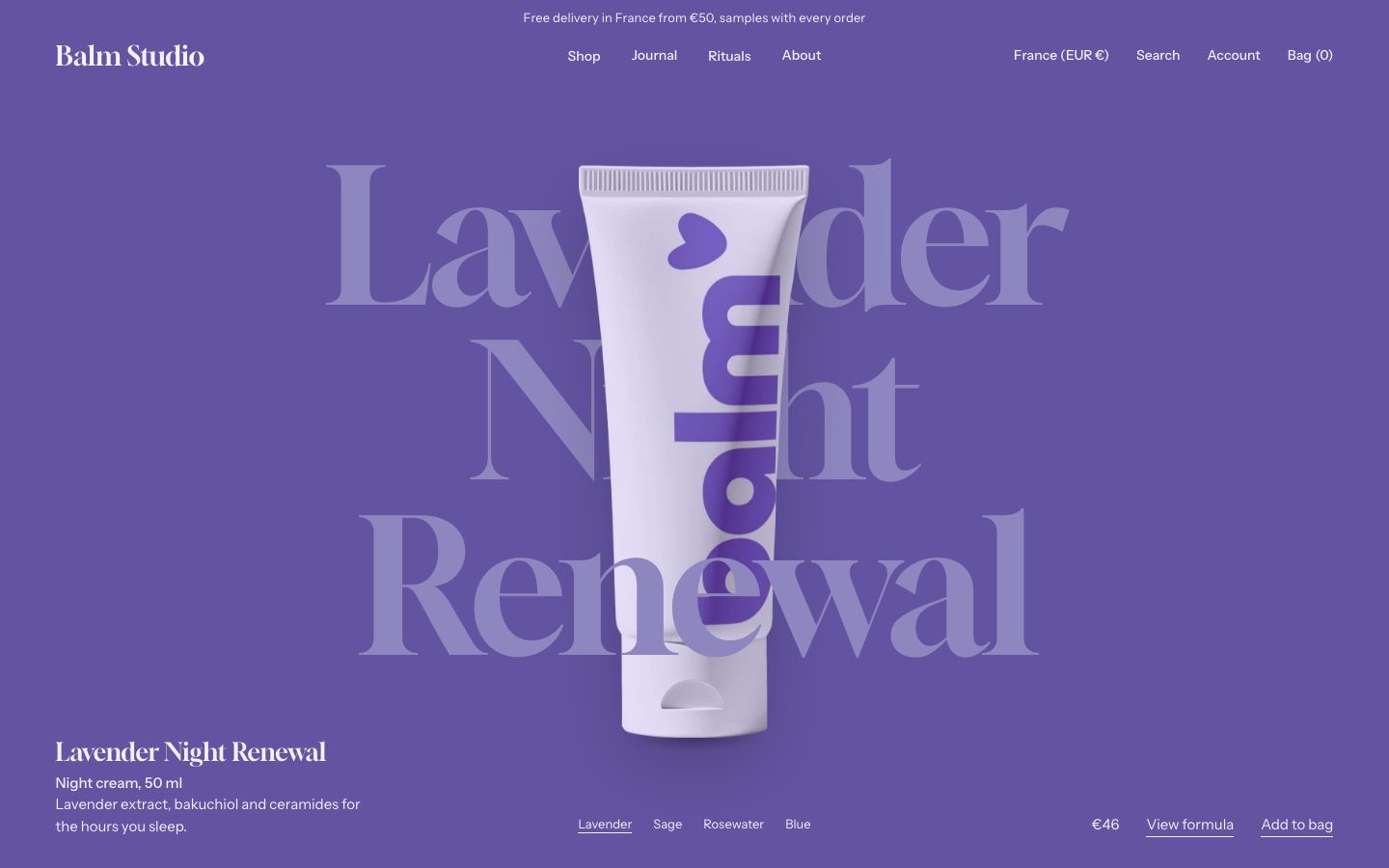
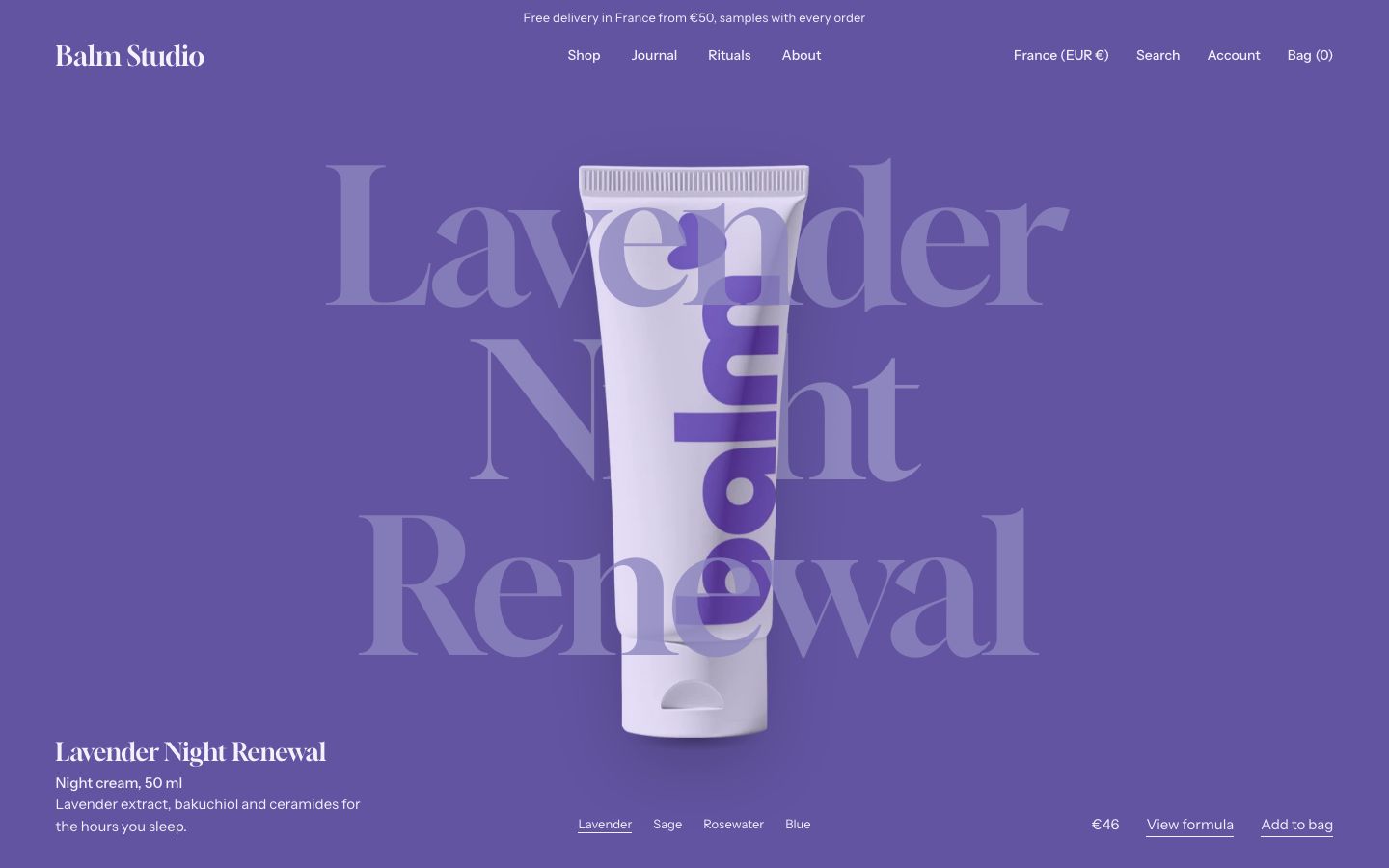
Open the store on the products themselves. Three to five products work best: each one fills the screen in turn, with its name set large around its cutout and a bar to buy it.
How it works
Each Product block is one step. The product name is set in layers behind the cutout, its last line in front of it, and a bar at the bottom shows the name, the type and format, the first sentence of the tagline, the price, View formula and Add to bag. Scrolling lifts the product away while the next one rises, and the whole page glides to the next color, with a short pause on each product.
Scroll length per step sets how long each product stays, on desktop and on phones; Object height sets the size of the cutout; Bar surface paints the bar in Field, Deep or Paper. Without JavaScript, and for visitors who ask for reduced motion, the products stand one under the other, each a still screen in its own color, and the page scrolls on to the next section.
Content tips
- Give each product its two colors, its cutout and its name lines (see Metafields): the step uses all three.
- A block's Name lines cut that step's name as you like, for example Sage|Balance|Serum; Use custom layering chooses which of its lines stand in front of the product. See The large name.
- Write a tagline whose first sentence stands alone: the bar shows only that sentence.
- Until you choose a product in one of its blocks, the section shows the first products of your store, one per block. Once you choose one, a block without a product is left out of the store.
Settings
Section settings (12)
| Setting | Values | Default | Notes |
|---|---|---|---|
| Show price | Checkbox | On | |
| Show add to cart button | Checkbox | On | |
| Bar surface |
| Field | |
| Object height (desktop) | 40 to 80 svh, step 2 | 66 svh | |
| Object height (mobile) | 24 to 60 svh, step 2 | 40 svh | |
| Scroll length per step (desktop) | 50 to 200 svh, step 10 | 100 svh | |
| Scroll length per step (mobile) | 50 to 200 svh, step 10 | 100 svh | |
| Product name | |||
| Number of lines |
| Auto | For a product without lines of its own (Name lines in a block or the custom.name_lines metafield), its title is cut into this many lines. |
| Default layering |
| Last line in front | Which lines of the name stand in front of the product. The others stay behind it. |
| Opacity of lines in front | 40 to 100%, step 5 | 100% | Lower it to let the product show through the lines in front. |
| Name size |
| Fixed | Fixed follows the screen. Auto sizes the longest line to most of the width. Lines never run off the screen or under the header. |
| Scale | 60 to 130%, step 5 | 100% | |
Block: Product
Product block settings (7)
| Setting | Values | Default | Notes |
|---|---|---|---|
| Product | Product | Empty | Colors, cutout and name lines come from the product's metafields: custom.background_color, custom.background_color_end, custom.cutout and custom.name_lines. |
| Name lines | Text | Empty | A bar | at each line break, up to 4 lines, for example Sage|Balance|Serum. Empty: the custom.name_lines metafield, else the title cut by Number of lines. |
| Use custom layering | Checkbox | Off | Off: the section’s Default layering. On: the lines checked below stand in front of the product, the others behind it. |
| Line 1 in front | Checkbox | Off | Shown when Use custom layering is on. |
| Line 2 in front | Checkbox | Off | Shown when Use custom layering is on. |
| Line 3 in front | Checkbox | Off | Shown when Use custom layering is on. |
| Line 4 in front | Checkbox | Off | Shown when Use custom layering is on. |