Journal article
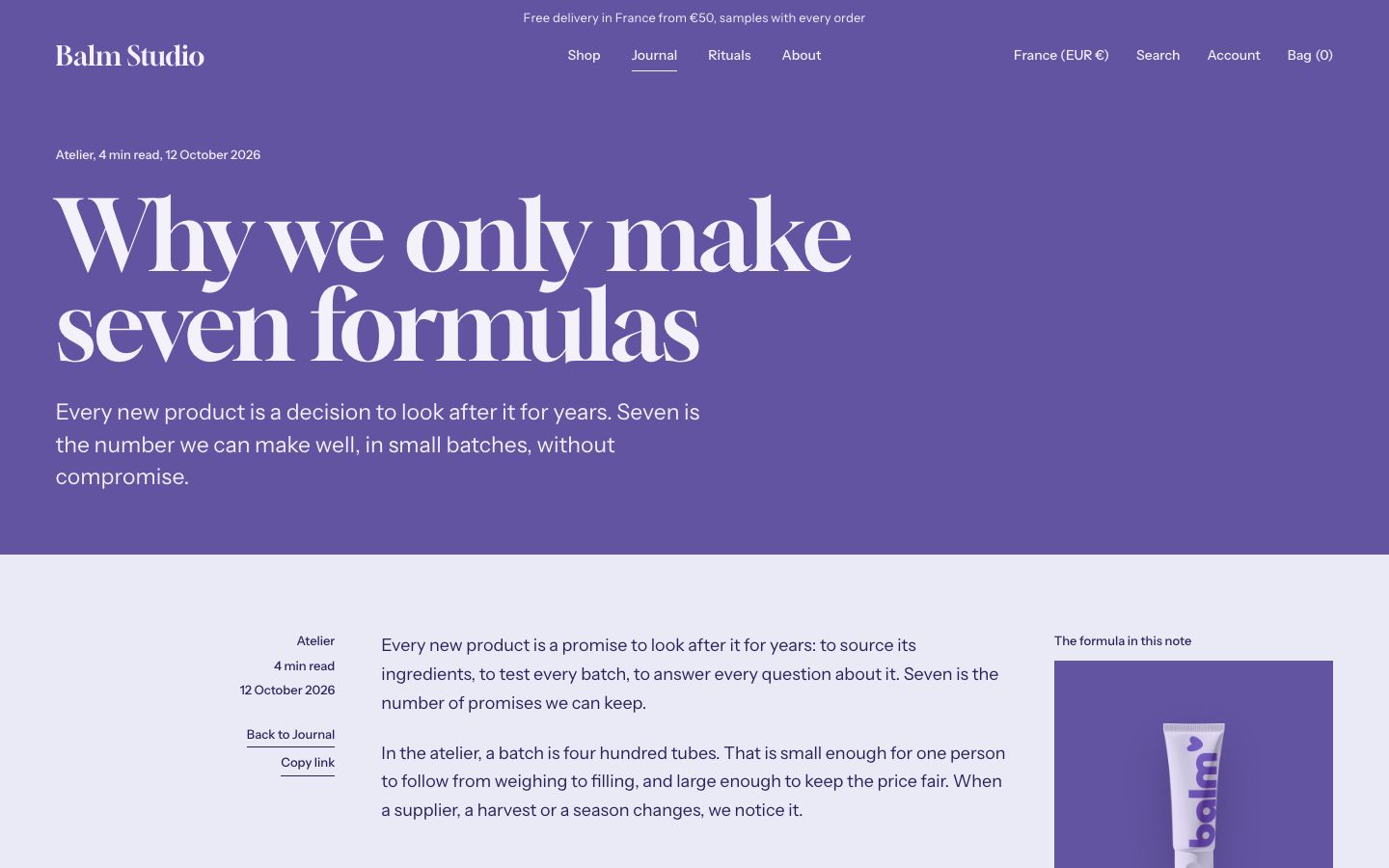
The article page: the title in the color of the article product, the text, the product and the next article.
WherePart of the article template.
What it is for
Long reads that end on the product they talk about.
How it works
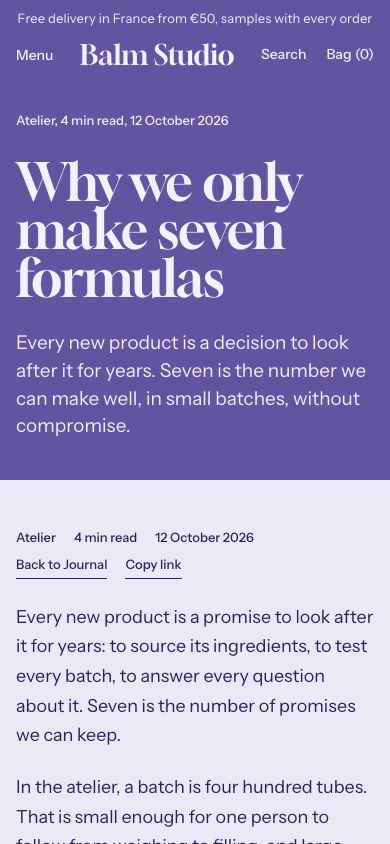
The page takes the color of the article's custom.product. The top shows the category, the
reading time, the date, the title and the excerpt; the text follows on Paper in a column centred on the page, with the
product under Product label in the right margin on wide screens (1280 pixels and more) and under the
text below, then the next article in the color of its own product. In the left margin, on the same wide screens, the
meta column sets the category, the reading time, the date, a link back to the blog and a Copy link button
against the text, and stays in view with the product as the visitor reads; on smaller
screens it is one line above the text. Copy link copies the article's address and says Link copied, which screen
readers announce. Show tag, Show reading time, Show date,
Show link to the blog and Show copy link button turn each part on or off. Show the reading bar, on by
default, draws a thin bar at the top of the screen that fills as the visitor reads. It is a setting of this section,
so the bar shows on article pages only, and on every article that uses the template.
Content tips
- A quote in the article (the Quote format of the editor) is set large in the color of the product.
Settings
Section settings (13)
| Setting | Values | Default | Notes |
|---|---|---|---|
| Breadcrumbs on this page |
| Hide | Overrides Theme settings for this page only. Position and separator stay global. |
| Show the reading bar | Checkbox | On | |
| Show the article's product | Checkbox | On | The article metafield custom.product, a product reference, gives the product and the page's colors. |
| Product label | Text | The product in this article | |
| Show the next article | Checkbox | On | |
| Next article label | Text | Next article | |
| Top padding (desktop) | 90 to 250 px, step 2 | 150 px | |
| Top padding (mobile) | 80 to 200 px, step 2 | 110 px | |
| Meta column | |||
| Show tag | Checkbox | On | |
| Show reading time | Checkbox | On | |
| Show date | Checkbox | On | |
| Show link to the blog | Checkbox | On | |
| Show copy link button | Checkbox | On | |