Footer
The newsletter, your menus, your store name set across the page and the legal lines.
WhereFooter group only.
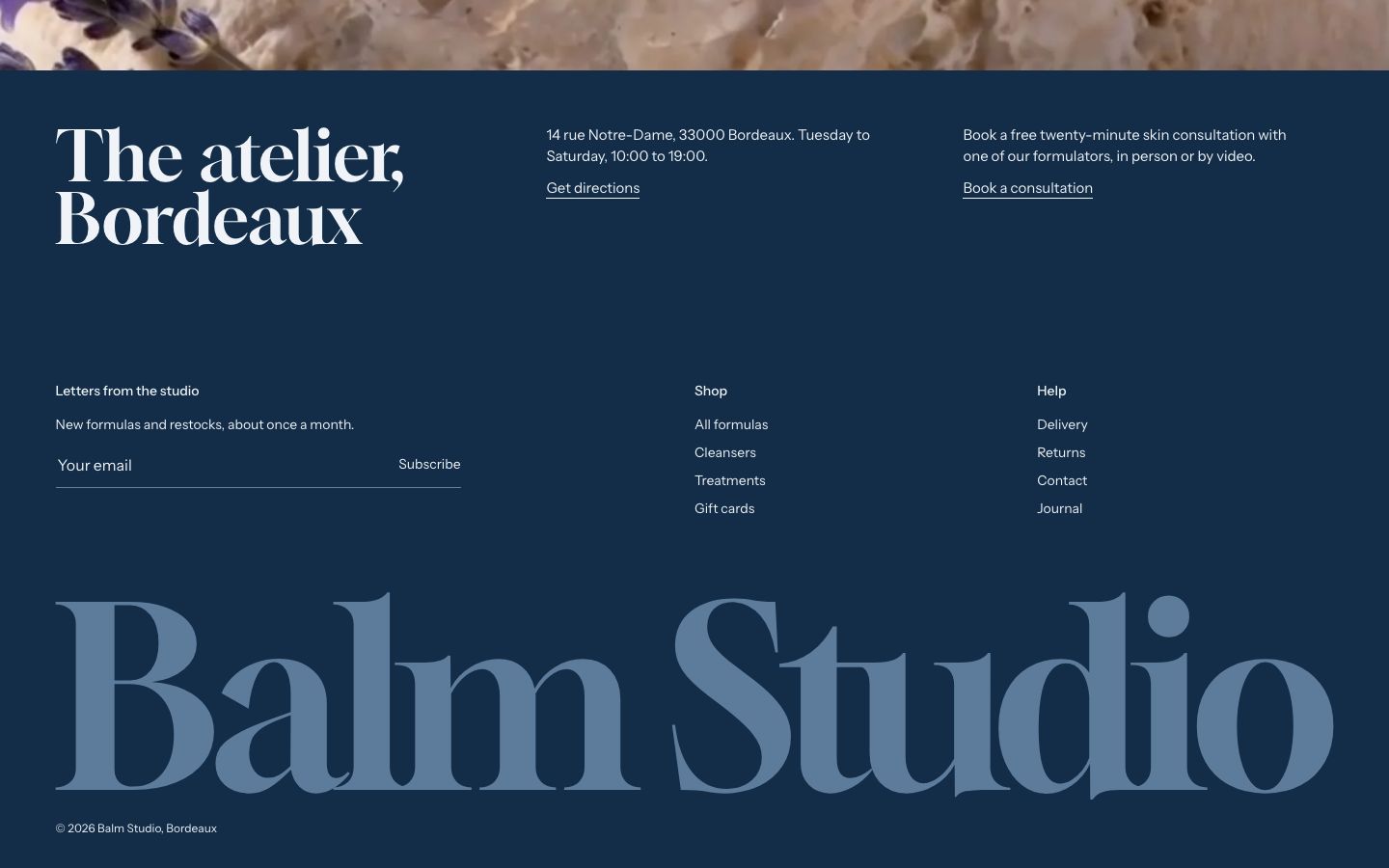
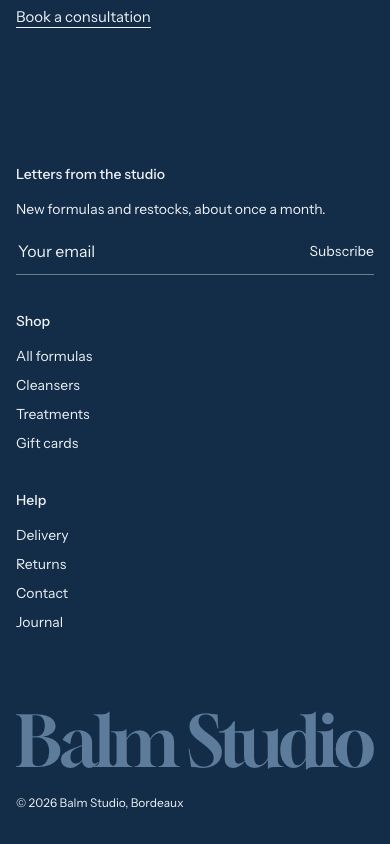
What it is for
The footer of every page, in the footer group.
How it works
The blocks sit in columns, the first one twice as wide: a Newsletter block with an underlined field, Links blocks that each show a menu, and Text blocks. Under them, Show the store name mark sets your store name (or Mark) on one line from one gutter to the other, whatever the width of the screen and the length of the name, then Copyright, Second legal line and, with Show policy links, the links to your policies. Surface paints it Deep or Field, in the color of the page. A block with nothing to show is left out of the store.
Content tips
- The demo uses the menus
shopandfooterin its two Links blocks. - Subscribers are added to your customers with the newsletter tag.
Settings
Section settings (10)
| Setting | Values | Default | Notes |
|---|---|---|---|
| Show the store name mark | Checkbox | On | |
| Mark | Text | Empty | Leave empty for the store name. |
| Copyright | Text | Empty | Leave empty for the year and the store name. |
| Second legal line | Text | Empty | |
| Show policy links | Checkbox | Off | |
| Surface |
| Deep | |
| Top padding (desktop) | 24 to 200 px, step 4 | 96 px | |
| Top padding (mobile) | 24 to 200 px, step 4 | 96 px | |
| Bottom padding (desktop) | 0 to 200 px, step 4 | 32 px | |
| Bottom padding (mobile) | 0 to 200 px, step 4 | 32 px |
Block: Newsletter
Newsletter block settings (4)
| Setting | Values | Default | Notes |
|---|---|---|---|
| Heading | Text | Newsletter | |
| Text | Rich text | Say what subscribers receive and how often. | |
| Field placeholder | Text | Your email | |
| Button label | Text | Subscribe |
Block: Links
Links block settings (2)
| Setting | Values | Default | Notes |
|---|---|---|---|
| Heading | Text | Links | |
| Menu | Menu | footer |
Block: Text
Text block settings (2)
| Setting | Values | Default | Notes |
|---|---|---|---|
| Heading | Text | About | |
| Text | Rich text | A short text about your store, its place and its people. |